
How to Change Your Netflix Password
Netflix is one of the best-known streaming services with more than two hundred million subscribers all over the world. The service’s well-designed interface makes it very easy to change or reset the password to your account. What’s more, you will equally easily change your Netflix log-in combination in the Passwarden app.
- How to change my Netflix password?
- How to reset the Netflix password?
- How to update the Netflix password in the Passwarden app?
All these topics are covered in our detailed step-by-step guide.
How to Change My Netflix Password
1. Use your current secret combination to log in to Netflix.
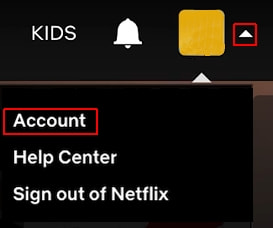
2. To change your password, start by clicking on a small white arrow to the right of your avatar. Select Account from the drop-down menu.
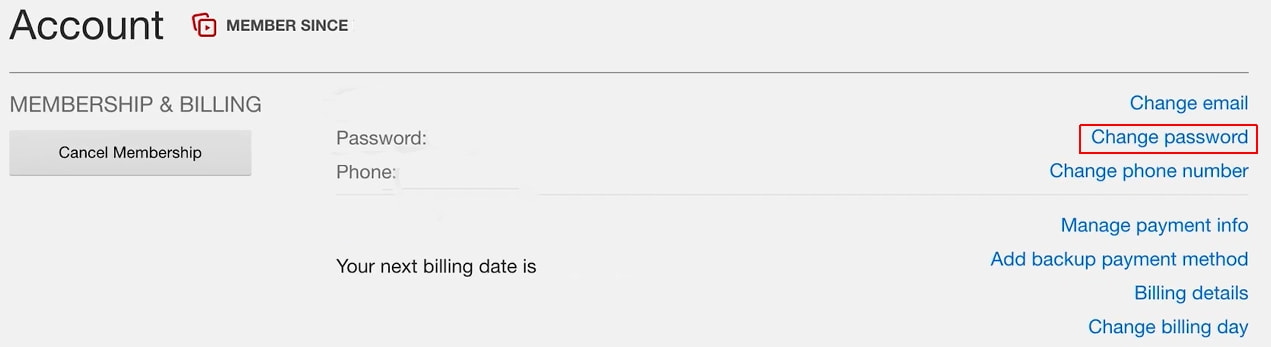
3. You now see the submenu that allows you to manage your Netflix account. Select Change password: it is on the right side of the Membership & Billing section.
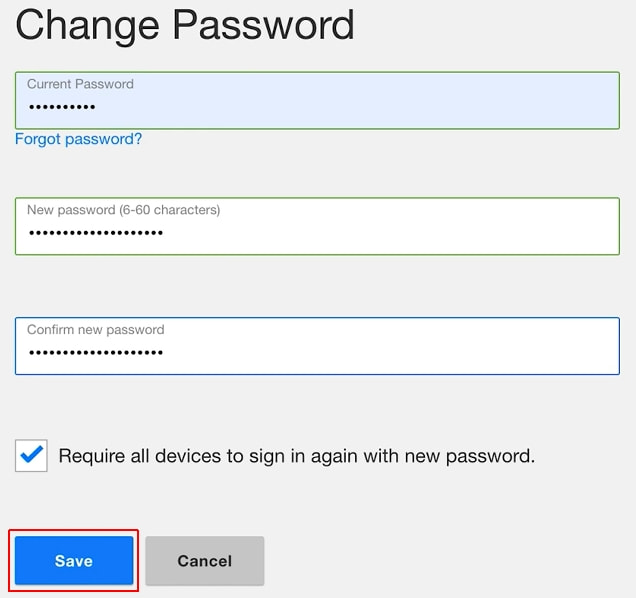
4. Enter your current Netflix password (once) and type in the new one (twice). Although it seems that it makes no difference to Netflix whether the password to your account is weak or strong, it is highly recommended that you make it as hack-proof as possible. Please use our in-depth guide to create a really strong log-in combination. Click on Save.
Congratulations! You’ve successfully changed your Netflix log-in combination.
How to Reset My Netflix Password
1. Go to netflix.com and click on the Sign in link at the top-right corner of the screen.

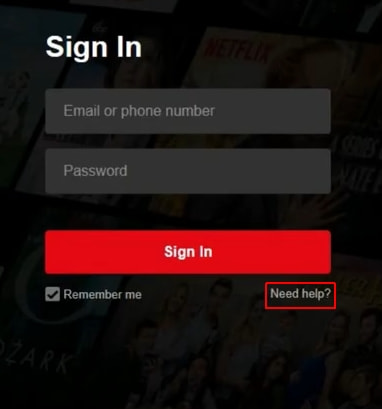
2. Click on Need help? in the sign-in form.
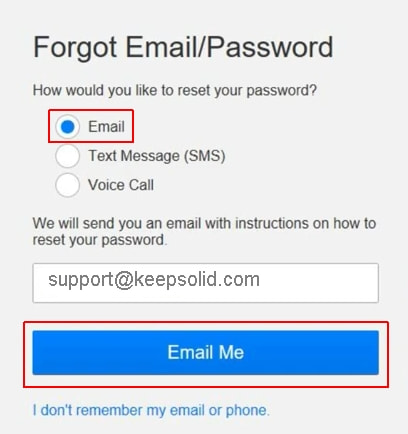
3. Now you have several options to choose from. Your first option is to reset the password to your Netflix account using email. Let the radio button stay at the Email option and click on Email Me.
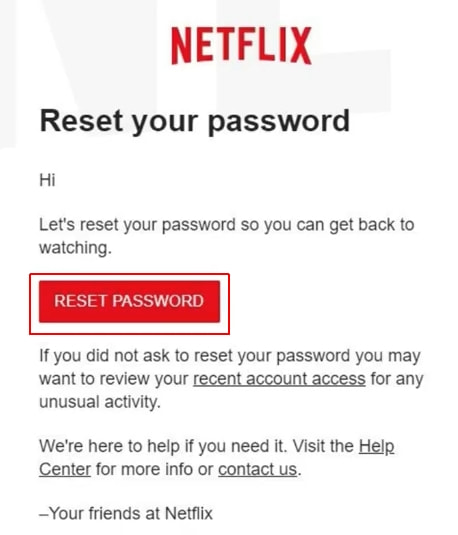
4. Go to your email box and open the letter sent by Netflix. Its subject should be “Reset your password”. Once you’ve opened the email, press the Reset password button.
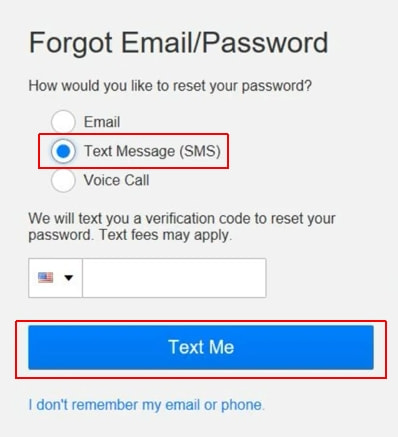
5. Alternatively, you can choose the Text Message option in step 3. Enter your phone number and click on Text me.
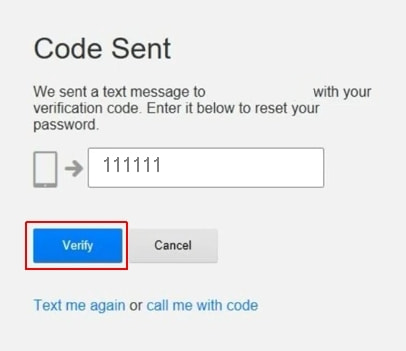
6. Enter the code you’ve received on your phone (‘111111’ in the screenshot below is an example, not a real code) in the form. Click on Verify.
7. Both the email and text message methods come together here. Create a new combination for your Netflix account and type it in twice. As it was already said, our comprehensive guide on how to create a very strong password will come in handy. Click on Save.
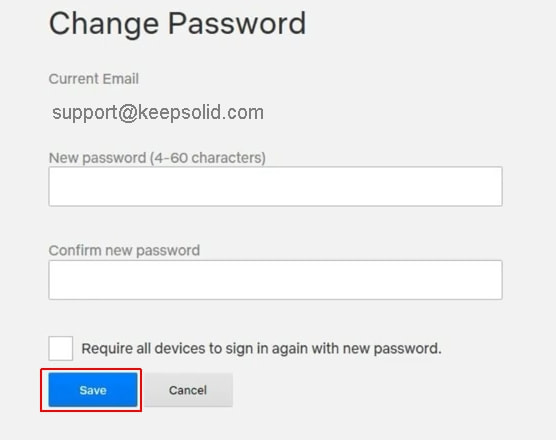
Well done: you’ve successfully reset your Netflix secret combination. You will be automatically signed in to your account.
How to Update the Netflix Password in the Passwarden Application
Note! It is important to do the updates in the right order. First, change or reset your log-in combination on the Netflix website. After this, update it in Passwarden.
1. Log in to your Passwarden account using your Master Password.
2. Find the entry you want to update and select it.
3. Click on the Edit button: you will find it at the bottom-right corner of the screen.
4. To update the Password field, click on it and type in your new combination.
5. Click on Save.
It is always a good idea to randomize your combination to make it especially difficult to hack. All you need to do is click on the icon to the right of the Password field and follow simple instructions.
Job is done: you’ve successfully updated your Netflix log-in combination in the Passwarden app!
To learn more about Passwarden and ask any questions about our program, please write to our customer support via [email protected]. We are always glad to help you!