
Passwarden vs. KeePass Comparison
Today, the list of passwords you need for your online activity is endless. You have to log into a dozen accounts daily and stay secure. Your sensitive data is a soft target for hackers if you don’t bother about safety. Fortunately, there are simple safety rules to manage passwords.
Firstly, you shouldn’t use a single password on all websites and apps. Secondly, you should use long and complex passwords with digits, upper case, and symbols. And thirdly, find a good password manager, and you will not have to remember all those hundreds of random figure combinations.
If you care about your security and do not want to share your important records with random people, you should search for a reliable password manager. And we are here to help you. Passwarden or KeePass? An up-to-date ultimate solution or a free but archaic interface? Let’s compare!
Password Manager Comparison: Passwarden vs. KeePass

Passwarden |

KeePass |
|
| Data encryption | AES-256 encryption | AES-256 encryption |
| Two-factor authentication | Authenticator App and Code by Email | |
| $ / month (Personal plan) | $3.99 | free |
| $ / month (Family plan) | $4.99 | free |
| Unlimited Passwords | ||
| Unlimited Devices | ||
| Users in Family Plan | 7 | |
| Autofill Option | ||
| Password Manager with VPN | ||
| Password Generator | ||
| Cross-Device Synchronization | ||
| Master Password | ||
| Trial | free | |
| 24/7 Support | ||
| Password Sharing | ||
| Duress/Travel Mode |
||
| Data Import |
||
| Friendly Design | ||
| Rating: | 5 | 1.5 |
KeePass App Brief Details
KeePass app is an open-source project and available to anyone who can help to develop it. This password manager is free to use, but it offers only the basic features of a password manager.
- The KeePass app interface looks like a standard desktop file-manager window, with your database on the left and data on the right.
- KeePass app stores saved passwords in local storage. That’s why syncing with other devices needs a third-party cloud service to store your passwords.
- Form-filling is a basic feature for password managers. In KeePass, it is available only with additional plugins, such as KeeForm, ChromeIPass, etc.
- KeePass user experience is limited. There are no official mobile apps for KeePass, but there are two unofficial ports for Android and iOS.
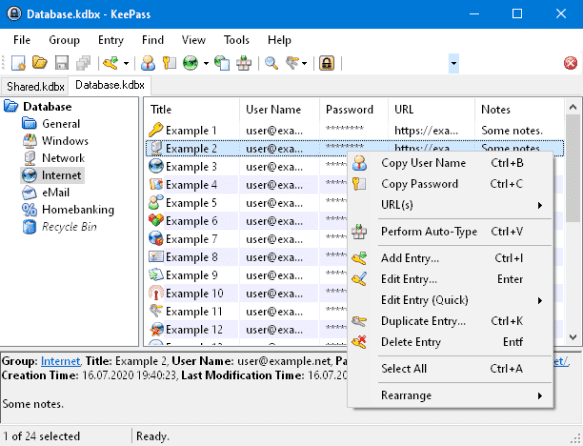
The basic version of the app is missing some features compared to KeePass alternatives. You will need many third-party plug-ins to help fill in the gaps. KeePass app is not an option when you prefer to use a simple and user-friendly application rather than fiddle around with settings. KeePass app requires customizing and tinkering with the software.
Passwarden - the Best KeePass Alternative
With KeepSolid’s Passwarden you don’t need to tune or calibrate settings to receive basic features. It doesn’t require a hundred plugins to make sharing or syncing available. Passwarden organizes your items and securely stores all your sensitive data.
Note: Passwarden is a part of the MonoDefense® security bundle.
Passwarden Extended Highlights
Passwarden is the best KeePass alternative. Its basic features cover all the needs of a user. The main benefits of a password manager are complete security, a user-friendly interface, and availability.
Let’s go over brief information about the features of the best KeePass Alternative.

Complete security
Passwarden uses AES-256 and EC p-384 encryption protocols. They protect your private details and personal data from third parties or hackers. If you want to share it with others, Passwarden Vaults allow you to do this securely.
Learn more about Data Encryption here.

Availability
An up-to-date application has to support all popular platforms. This allows users access to their passwords or secret notes anywhere with any device. Passwarden is available on:
- Windows or macOS
- Mobile Android or iOS
- Browser extensions on Chrome, Firefox, Edge, etc.

User interface and log in
Keep up with the times and use the latest software interface, adapted to today’s online routine. Passwarden allows you to log in with any service you like: FaceID, TouchID, and master-password. And the intuitive interface helps to manage your account quickly and securely.

Secure sharing
If you want to share your passwords with others, Passwarden is a safe alternative to sending them via messengers or emails. You can create any number of Vaults and make them available to your friends, family, or colleagues. This is the most convenient way to share huge amounts of data, logins, credentials, etc.
Passwarden is the ultimate solution if you want to share your details with family or friends securely
Passwarden is the best Keepass alternative to manage your account with tons of sensitive data.




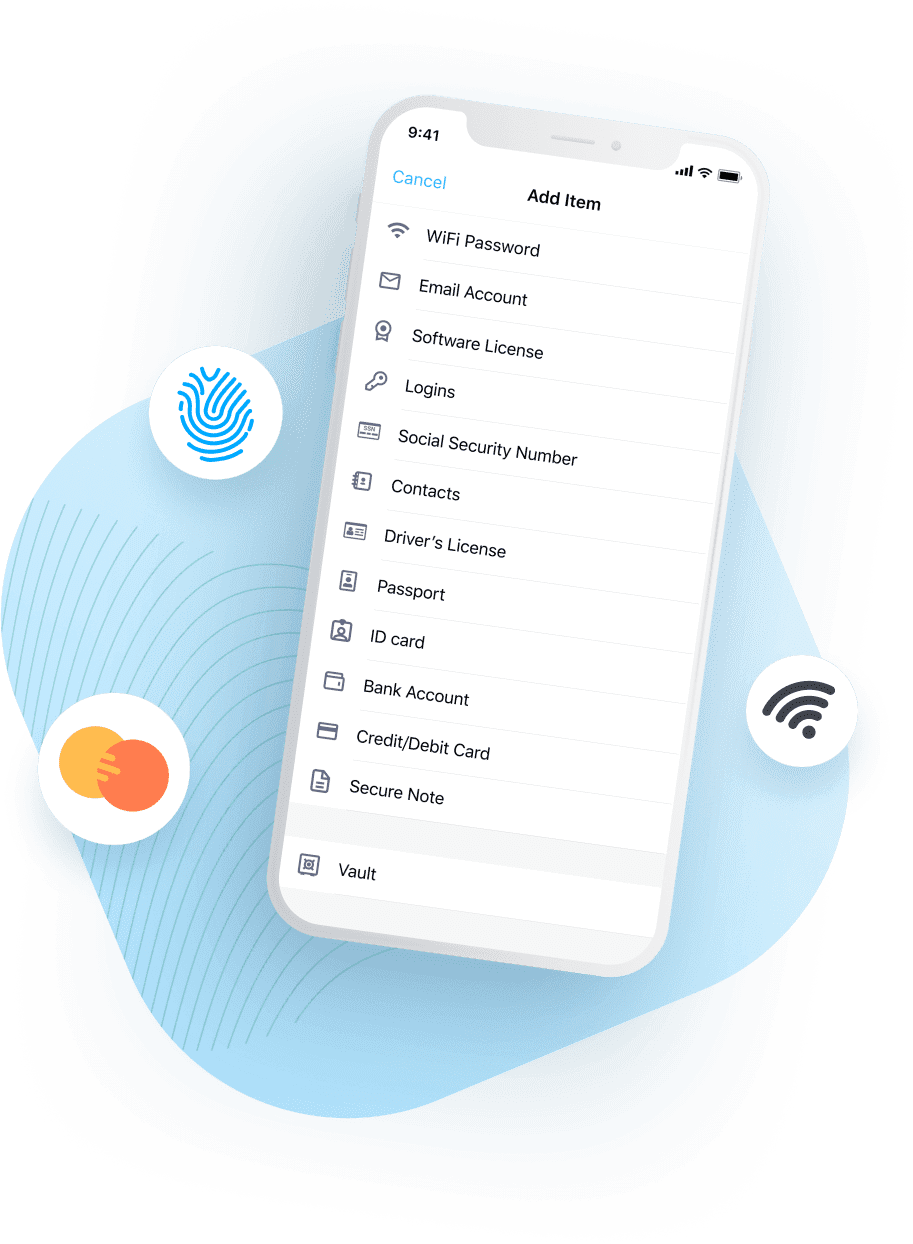
Types of data you can securely store and share in Passwarden

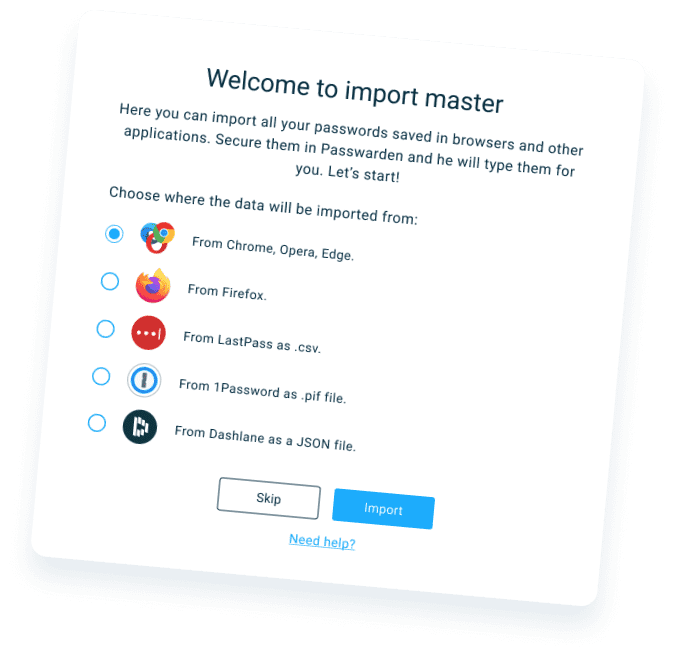
Data Migration to Passwarden
The Data Migration tool allows you to import your information without any security issues. You don’t have to copy every item manually from one platform to another. With Passwarden it takes just a couple of clicks.
Import Opera, Edge, Firefox, or Chrome Passwords and Data
- Popular browsers allow you to export passwords with their tools. If you need a detailed guide on data export, see our Manuals on how to export passwords from Chrome, Opera, Edge, and Firefox.
- Open Passwarden and tap Settings
- Select Account
- Tap the Import button
- Choose the needed browser (Chrome, Opera, Edge, or Firefox)
- Select the Vault for your browser data
- Upload the exported file. Click Import. That’s it. You’ve successfully transferred your details to Passwarden.
Note: Remember that it is not secure to keep the export file. Make sure to delete it after you’ve imported your data into Passwarden.
Passwarden Comparison with Other Password Managers
Import your data to Passwarden safely. It is the best KeePass alternative
Complete the basic import procedure without any issues and check out Passwarden, the best KeePass alternative!